Devlog: badblood.nvim
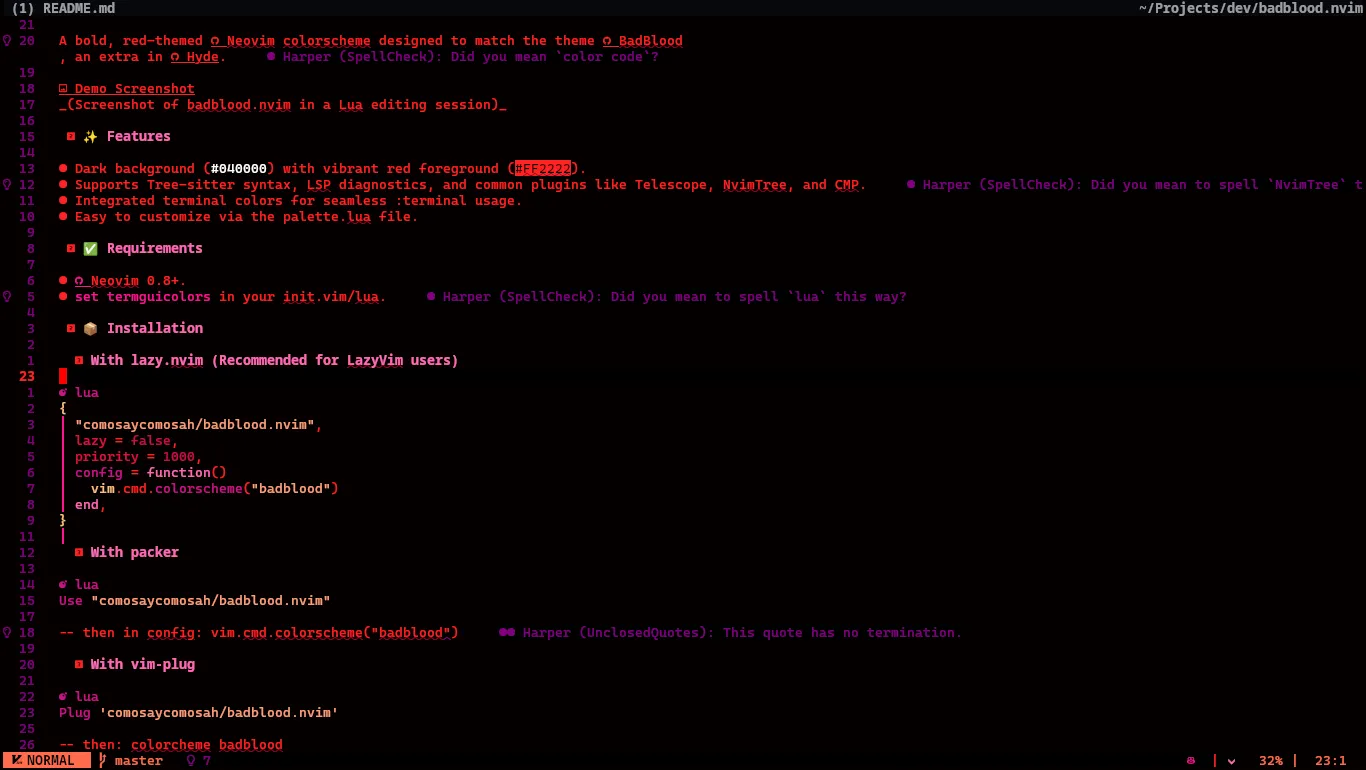
I wanted to share my very first Neovim plugin – a simple, dark-red colorscheme. It gives Neovim a rich, deep-red background with reddish highlights. I built it because I wanted a blood-red theme to match the BadBlood theme for Hyde.

Badblood.nvim is just a simple colorscheme plugin—no extra bells and whistles—so installation is easy with any package manager. It’s mostly an experiment in red-hued theming, with a few tweaks to syntax highlighting so everything reads clearly. I’ve attached a screenshot above so you can see it in action.
✨ Features
- Supports Tree-sitter syntax, LSP diagnostics, and common plugins like Telescope, Snacks, and Blink.
- Integrated terminal colors for seamless
:terminalusage. - Easy to customize via the
palette.luafile.
✅ Requirements
- Neovim 0.8+ (recommended 0.9+ for full features).
set termguicolorsin yourinit.vimorinit.lua
📦 Installation
With lazy.nvim (Recommended)
{ "comosaycomosah/badblood.nvim", lazy = false, priority = 1000, config = function() vim.cmd.colorscheme("badblood") end,}With packer
Use "comosaycomosah/badblood.nvim"With vim-plug
Plug 'comosaycomosah/badblood.nvim'🧭 Usage
After installation, apply the theme:
vim.cmd.colorscheme("badblood")colorscheme badblood🎨 Customization
- Edit lua/badblood/palette.lua to change colors.
- Edit lua/badblood/groups.lua to override or add highlight groups.
🕵️♀ Try it
It’s pretty fun working on anything Neovim so this little side project was a blast. If you would like to try the plugin, you can check out the code on GitHub: badblood.nvim. It’s open source (MIT license), so feel free to install it or even suggest improvements. I plan to polish it more over time, but for now, I just wanted to share what I’ve made. Thanks for reading and happy coding!